No swiping. Say who you’re looking for.
You describe who you want to meet in your own words. The answer is up to three people, each with a written reason why they may fit, taken from what they wrote about themselves, not from photos.
Android app, 18+
Strict filters first: the AI only looks at people who pass them.You write in your own words, up to 1,000 characters.The AI picks up to three people and writes a reason for each.You write first. It goes as a chat request: the person accepts or declines.In an accepted chat the AI assistant reads the conversation and gives advice. It never sends anything itself.Search precision is a similarity bar from 0 to 1: how close to your request a person must be for the AI to show them. It does not change the order: the closest people always come first.The higher the value, the stricter the bar. If nobody is that close, the app says plainly that no one was found.Set the slider to 0.7 and tap Show more: the same request now finds up to three of the closest people.The list has ended, and the empty attempt is not charged. Move the slider toward “More open”: the next people are a little further from your request.No request needed: the AI starts from your profile, your filters and the search precision.The AI compares your profile with others and picks the closest people.Up to three people at a time, each with a written reason why they could be a good fit.The profile AI agent opens from the sparkle icon in the profile header.The AI reads your profile and says what works and what is missing.The AI proposes edits but changes nothing itself: you decide whether to apply them.Two tests: the research-based Big Five with 50 questions and a light 16-styles quiz.Questions come as a chat: you pick an answer on a scale and can add a note in your own words.Scores come from a formula; an answer given only in words is first placed on the scale by AI. The portrait is written by AI and shown only to you. Your scores are part of the profile text the AI reads when matching.The matching rules are written in the app itself: filters first, then the AI, and the search precision sets the bar.You can ask the AI about the people it has just shown. It answers from their profiles.The reason is easy to check: open the profile and compare it with what the AI wrote.
Describe the person in your own words. AI will find up to 3 candidates close to your request.
How does it work?Based on your request: tells the truth even when it's uncomfortable, talks a conflict through instead of going silent, want children.
- “I'd rather hear an unpleasant truth than a pleasant lie”
- “I don't go quiet: I need to talk it out the same day”
- “I want children, in a couple of years”
You are close to your parents, and Mia keeps her Sundays for hers. You could ask what a Sunday at her parents' usually looks like.
Hi Mia! An unpleasant truth over a pleasant lie: same here. What was the last hard thing you had to say out loud?
Hello Mia! You edit books: which one would you tell a friend to read first?
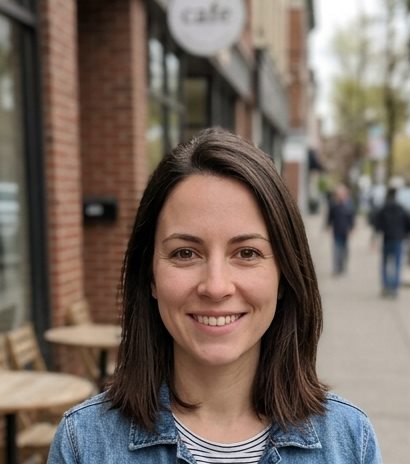


I'd rather hear an unpleasant truth than a pleasant lie, and I say things straight myself. When we argue I don't go quiet: I need to talk it out the same day. I want children, in a couple of years. Sundays are for my parents.
Based on your request: tells the truth even when it's uncomfortable, talks a conflict through instead of going silent, want children.
- “I can't stand white lies”
- “I cool down first, then come back and talk”
- “I'd like two kids”
You are close to your parents, and Lina calls family the centre of her life. You could ask what made her choose nursing.
Hi Lina! What do you like most about working as a children's nurse?
Hello Lina! What does a good day with your family look like?
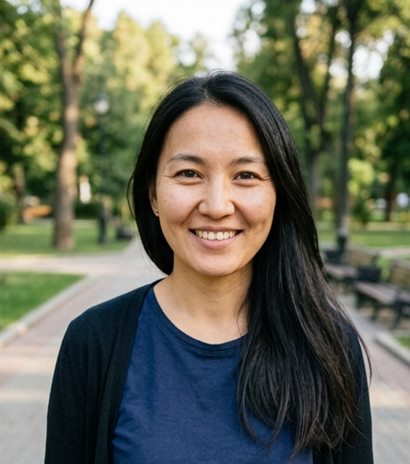


I can't stand white lies, even the kind ones. After a quarrel I cool down first, then come back and talk. Family is the centre of my life and I'd like two kids. I often work weekends.
Based on your request: tells the truth even when it's uncomfortable.
- “I say what I think and expect the same”
You are close to your parents; Vera was raised by her grandmother and calls her every day. You could ask what her grandmother taught her.
Hi Vera! You call your grandmother every day: what do you two talk about most?
Hello Vera! What does a landscape architect notice first in a park?
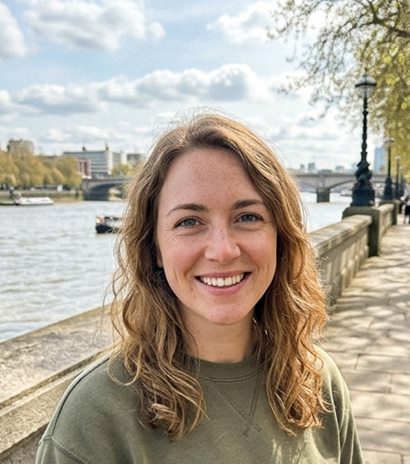
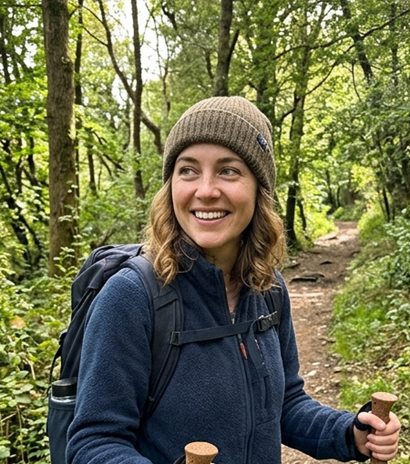
I say what I think and expect the same. My grandmother raised me and I call her every day. I'm not sure about children yet, and I'd say so on a first date. I'm learning not to slam doors when I'm angry.
Want to compare candidates or ask why one of them may fit you — just type in the chat.
You both work in IT: Alex is a backend developer who mentors two juniors. You could ask how his Spanish is going.
Hi Alex! A laptop that closes at seven sounds like a skill. How long did it take you to learn it?
Hello Alex! Spanish or bread: which one is going slower?
Non-smoker. I used to work nights. Now my laptop closes at seven and weekends are offline. I'm learning Spanish and how to bake bread, both slowly. I mentor two juniors and remember being one. Kids: honestly, I don't know yet.
You work in IT, and Tim is a data analyst who takes one course a year. You could ask why it is statistics again.
Hi Tim! Statistics, again: what makes you go back to it?
Hello Tim! Which course are you saving for next year?
I take one course a year; this year it's statistics, again. I leave work at work, mostly. I'm the one who helps the neighbours carry things. I smoke rarely and I'm quitting. No strong view on kids.
That's everyone above your bar. Move the slider toward “More open” and tap Show more, or change your request.
This attempt wasn't charged.
MiaWaiting for reply
AI looks for up to 3 candidates for you based on your profile data.
Find my picks 10 picks left- “I want a family and I'm ready now”
- “My mother taught me to greet the cleaner by name”
- “When I'm wrong, I say so”
You work in IT, Leo is a civil engineer: both of you build things that have to hold. You could ask which of his projects he would show you first.
Hello Leo! Greeting the cleaner by name says a lot. What else did your mother teach you?
Hi Leo! Which dish do you cook worst, and who laughs first?
I want a family and I'm ready now, not in five years. My mother taught me to greet the cleaner by name, and I still do. I cook badly and I'm the first to laugh about it. When I'm wrong, I say so, usually by the evening.
- “I volunteer at a shelter on Saturdays”
Max is a veterinarian and spends his Saturdays at a shelter. You love to travel: you could ask whether the shelter ever lets him leave for a week.
Hi Max! What keeps you coming back to the shelter every Saturday?
Hello Max! Which patient at the clinic do you still remember?
I volunteer at a shelter on Saturdays: animals and old people are my weak spot. I want a serious relationship and a home where both of us cook, clean and rest. Apologising is hard for me, I'm working on it.
- “I want children, and I'd take parental leave myself”
You both work in IT: Dan is a QA engineer who closes the laptop at six. You could ask what he does with the evening after that.
Hi Dan! Which board game would you bring to a first evening together?
Hello Dan! No screens at dinner: how did that rule start?
I want children, and I'd take parental leave myself. Board games, long talks, no screens at dinner. I close the laptop at six. I don't smoke. I get quiet when I'm hurt: ask me twice.
Nika
167 cm
I work in IT. I love to travel.
- • Rewrite the bio in the first person, based on your answers about work and travel
- • Describe your goal in your own words
- • Add two notes to your feed
A research-based five-factor personality profile with deterministic scoring.
A light four-axis quiz for reflection and conversation, not a clinical tool.
You are organized and reliable, drawn to new things, and careful with your energy: you prefer a one-to-one talk to a big crowd.
- • You keep promises and plan ahead
- • You listen before you respond
- • New ideas excite you easily
In relationships you value predictability and deep conversations. You open up more easily when nobody rushes you.
- • Say what you want sooner, without waiting for the perfect moment
- • Say yes to a spontaneous plan now and then
This result is for self-reflection and is not a medical diagnosis or a substitute for a qualified professional.
Retake testMia
168 cm
I'd rather hear an unpleasant truth than a pleasant lie, and I say things straight myself. When we argue I don't go quiet: I need to talk it out the same day. I want children, in a couple of years. Sundays are for my parents.
Serious relationship
The colours link your words, the AI's reason and what the person wrote about themselves.
App interface. The profiles in this example are fictional.